Content Security Policy 헤더 추가 작업
문제해결 | | 11분 읽기

작업 방향
1. next.config 파일에 headers 함수에 추가하여 HTTP 헤더로 넣기
const processEnv = process.env;
/**
 * @type {import('next').NextConfig}
 */
const NEXT_CONFIG = {
  ...
  headers: async () => {
    return [
      {
        source: '/(.*)',
        headers: [
          {
            key: 'Content-Security-Policy',
            value: 'upgrade-insecure-requests',
          },
        ],
      }
    ];
  },
};

module.exports = () => NEXT_CONFIG;
요청마다 헤더에 Content-Security-Policy를 추가하여 html 문서를 응답으로 내려줌
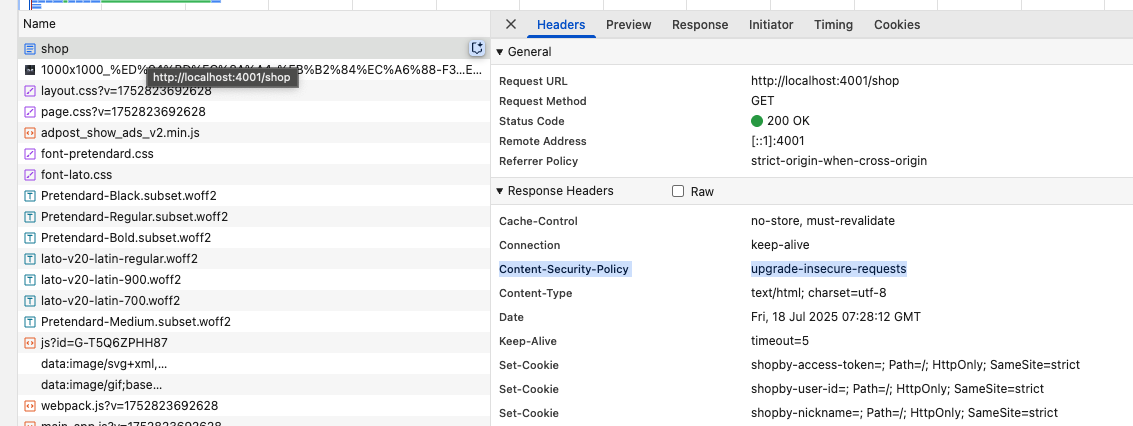
브라우저가 html 파싱 전에 이미 csp 정책이 활성화 되어 있음
처음부터 http → https로 요청 보냄
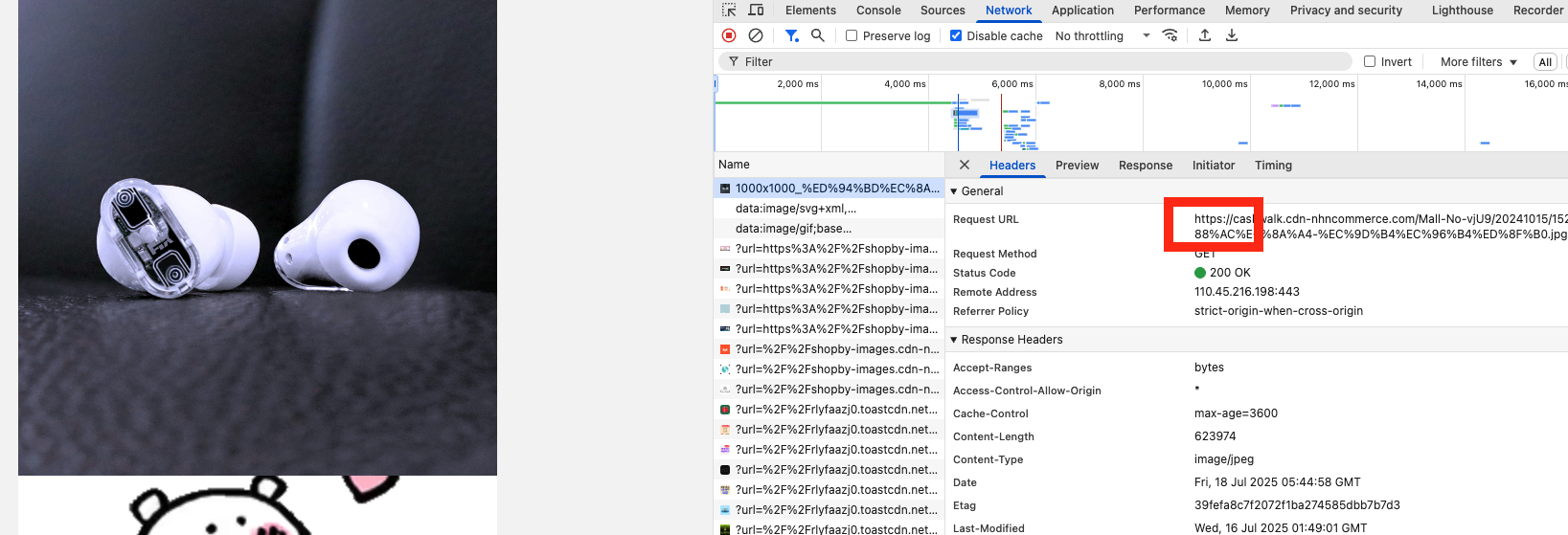
그러나 cdn 및 모든 리소스에 대한 사이드 이펙드 예측하기가 어려움
→ csp 헤더가 html 응답으로 내려오면 문서 내부에 있는 모든 링크가 csp 적용 가능하다고 추론 가능한데 근거는?
2. 태그 이용
// app/layout.tsx
export default function RootLayout({ children }) {
  return (
    <html>
      <head>
        <meta httpEquiv="Content-Security-Policy" content="upgrade-insecure-requests" />
      </head>
      <body>{children}</body>
    </html>
  );
}
브라우저가 html 파싱을 시작하며 csp 정책 활성화
🚨 근데 요청이 두 번 보내짐

한 번은 http로, 후에 https로 총 두 번 보내지고 있음
원인 :
- 브라우저가 파싱할 때 Preload scanner가 원인 같음
While the browser builds the DOM tree, this process occupies the main thread. As this happens, the preload scanner will parse through the content available and request high-priority resources like CSS, JavaScript, and web fonts. Thanks to the preload scanner, we don't have to wait until the parser finds a reference to an external resource to request it. It will retrieve resources in the background so that by the time the main HTML parser reaches the requested assets, they may already be in flight or have been downloaded.
→ 브라우저가 DOM 트리를 빌드하는 동안, 이 프로세스가 메인 스레드를 차지합니다. 이 과정에서 프리로드 스캐너는 사용 가능한 콘텐츠를 구문 분석하여 CSS, JavaScript, 웹 글꼴과 같은 우선순위가 높은 리소스를 요청합니다. 프리로드 스캐너 덕분에 파서가 외부 리소스에 대한 참조를 찾을 때까지 기다렸다가 요청할 필요가 없습니다. 백그라운드에서 리소스를 검색하므로 메인 HTML 파서가 요청된 에셋에 도달할 때쯤이면 이미 실행 중이거나 다운로드가 완료된 상태일 수 있습니다.
- html 스펙 문서에 일부 리소스가 이미 가져왔을 수도 있다고 명시되어 있음
At the time of inserting the
metaelement to the document, it is possible that some resources have already been fetched. For example, images might be stored in the list of available images prior to dynamically inserting ametaelement with anhttp-equivattribute in the Content security policy state. Resources that have already been fetched are not guaranteed to be blocked by a Content Security Policy that's enforced late.
문서에 메타 요소를 삽입할 때 일부 리소스가 이미 가져왔을 수 있습니다. 예를 들어 콘텐츠 보안 정책 상태에서 http-equiv 속성이 있는 메타 요소를 동적으로 삽입하기 전에 이미지가 사용 가능한 이미지 목록에 저장되어 있을 수 있습니다. 이미 가져온 리소스는 늦게 적용되는 콘텐츠 보안 정책에 의해 차단되지 않습니다.
→ 예시로는 동적으로 삽입되었다로 되어 있지만 더 다른 이유가 있을 수 있다고 생각됨
테스트
- 가설
layout.tsx 파일의 meta 태그 전에 script 태그를 넣어 지연을 시켰을 때, 네트워크 탭에 먼저 Image 요청이 간다면 preload scan이 되었다는 뜻이 아닐까?
- 작성 코드
<script
    dangerouslySetInnerHTML={{
    __html: `
        // 동기적 지연 (HTML 파싱 블로킹)
        console.log('CSP 적용 전 지연 중..');

        const start = Date.now();
        while (Date.now() - start < 10000) {
          // 10000ms 지연
        }
    `}}
/>
<meta
    httpEquiv="Content-Security-Policy"
    content="upgrade-insecure-requests"
/>
<script
    dangerouslySetInnerHTML={{
    __html: `console.log('CSP 적용 후');`,
    }}
/>- 결과
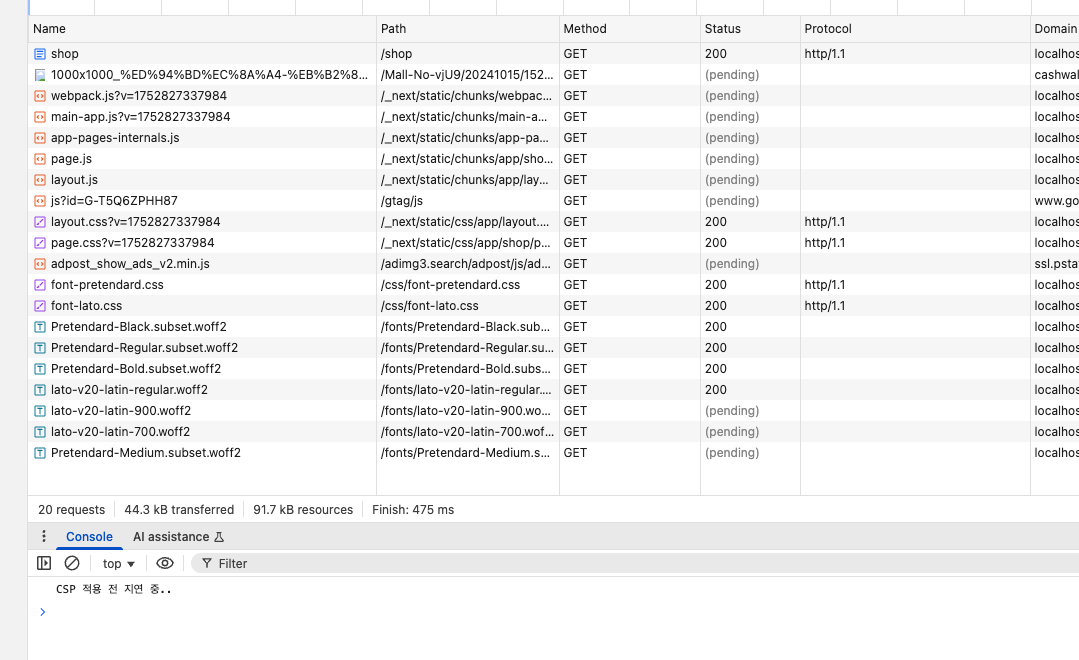
이렇게 meta 태그가 적용(파싱)되기 전에 이미 이미지나 js 파일, 폰트 요청이 들어가 있음을 알 수 있음
→ preload 되는 부분 때문에 요청이 2번 가는 것 같음(후에 csp가 적용되면서 다시 한번 더 요청이 들어가고 있는 것 같음)
→ api 응답을 클라이언트에서 받아오는거면 돔 파싱 및 하이드레이션 이후에 실행되기 때문에 CSP가 적용될 거 같음
그러나 서버 사이드에서 데이터를 패칭하여 완성된 html 문서를 응답으로 받거나, 하드코딩으로 관리되는 http 리소스의 경우 동작이 불확실함(두 번 요청이 갈 우려)
3. metaData 이용
공식문서에서 http-equiv meta는 지원하지 않음
https://github.com/vercel/next.js/discussions/61218
How to set a Content Security Policy (CSP) for your Next.js application
next 공식 문서에서 csp를 설정하는 방법
→ nonces가 필요없다면 next.config.js에 headers 함수를 이용하라고 되어 있음
nonce란?
Nonce는 "Number used ONCE"의 줄임말로, 일회용으로 생성된 고유한 임의 문자열입니다. 이는 CSP와 함께 사용되어 특정 인라인 스크립트나 스타일을 선택적으로 실행할 수 있도록 하여 엄격한 CSP 지시를 우회할 수 있습니다.